
Serve with us
Volunteering is part of the DNA of Redeemer. Our team leaders are also volunteers and congregational participation makes each week come together.
Volunteering is simple: tell us you’d like to help, get connected to a team, then use the Church Center app or Planning Center website to sign up and manage your schedule.
-
Greet people as they arrive, hand out bulletins, and help people feel welcome.
-
Care for infants through elementary ages so parents can participate in worship. Nursery and Redeemer Kids roles involve a background check and training.
-
Lead and support musical worship, or help with sound and tech so our congregation can joyfully worship without distraction.
-
Lead the weekly congregational prayer or read the scripture passage prior to the sermon.
-
Help set up, serve, and clean up our Sunday coffee & breakfast table so guests and members can enjoy a drink & bite to eat before worship.
-
Help make our Sundays smooth by setting out Bibles, unpacking and repacking our tables and materials, and helping make our space look great.

How volunteering works
We use Church Center (Planning Center’s volunteer app) so you can sign up, accept requests, and tell us when you’re unavailable.
New here? Start with the Get Involved form. Someone will connect you with a team leader. (Redeemer Kids / Nursery also includes a short screening process.)
Already on a team?
Open My Schedule in Planning Center Services → My Schedule. That’s your home base for upcoming dates. Alternatively you can use the Church Center app (click your Profile icon) or at redeemerchicago.churchcenter.com/me.
Sign up for open slots when a Signup Sheet is available—pick the dates and roles that work for you.
Accept or decline when your team leader sends a scheduling request. If you accept, treat it as a commitment.
Block out dates when you can’t serve, so we don’t schedule you then.
Prefer a short video? Watch on YouTube.
Questions or trouble getting set up? Ask your team leader, or email office@redeemerchicago.church.
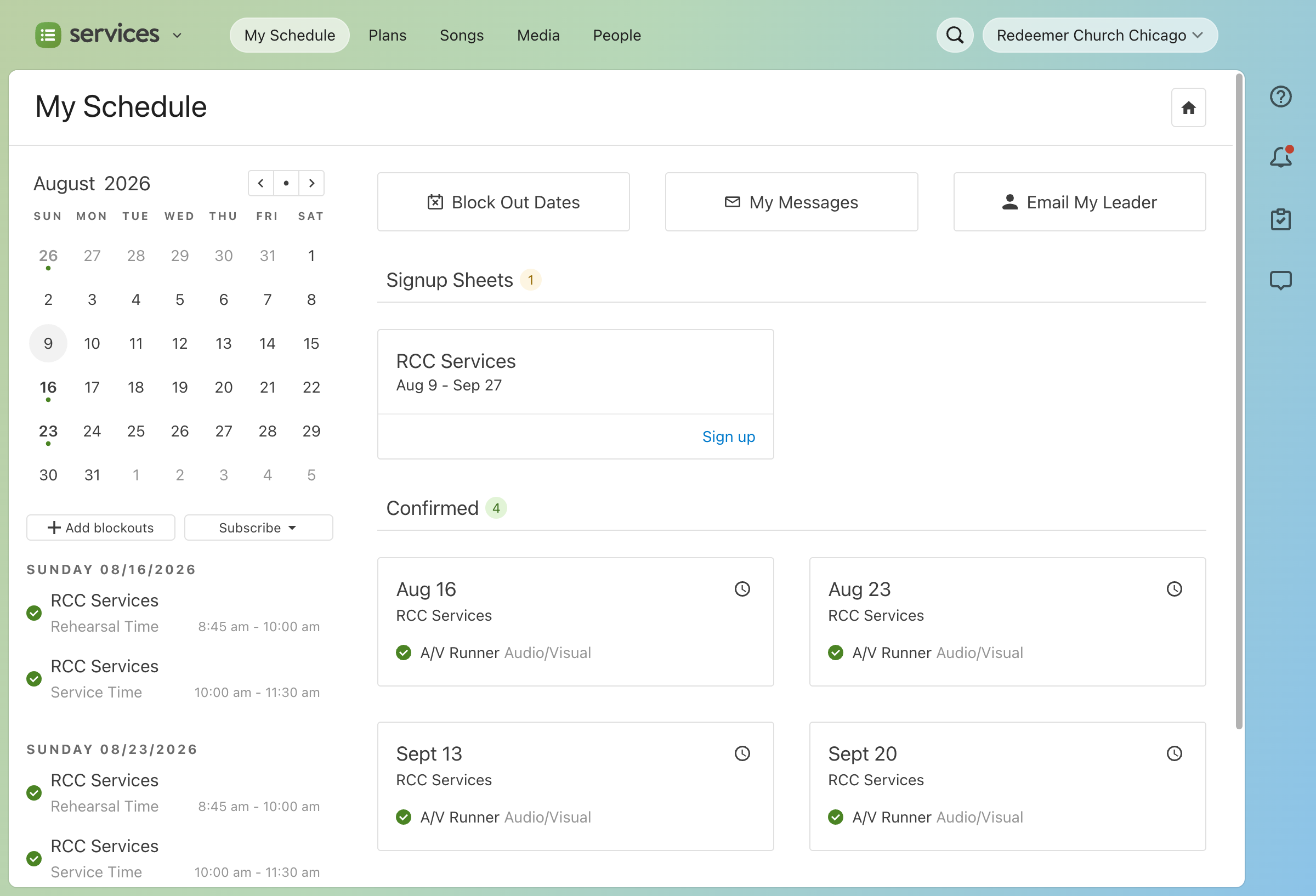
Your schedule (Planning Center view)
See your schedule and access Sign up sheets
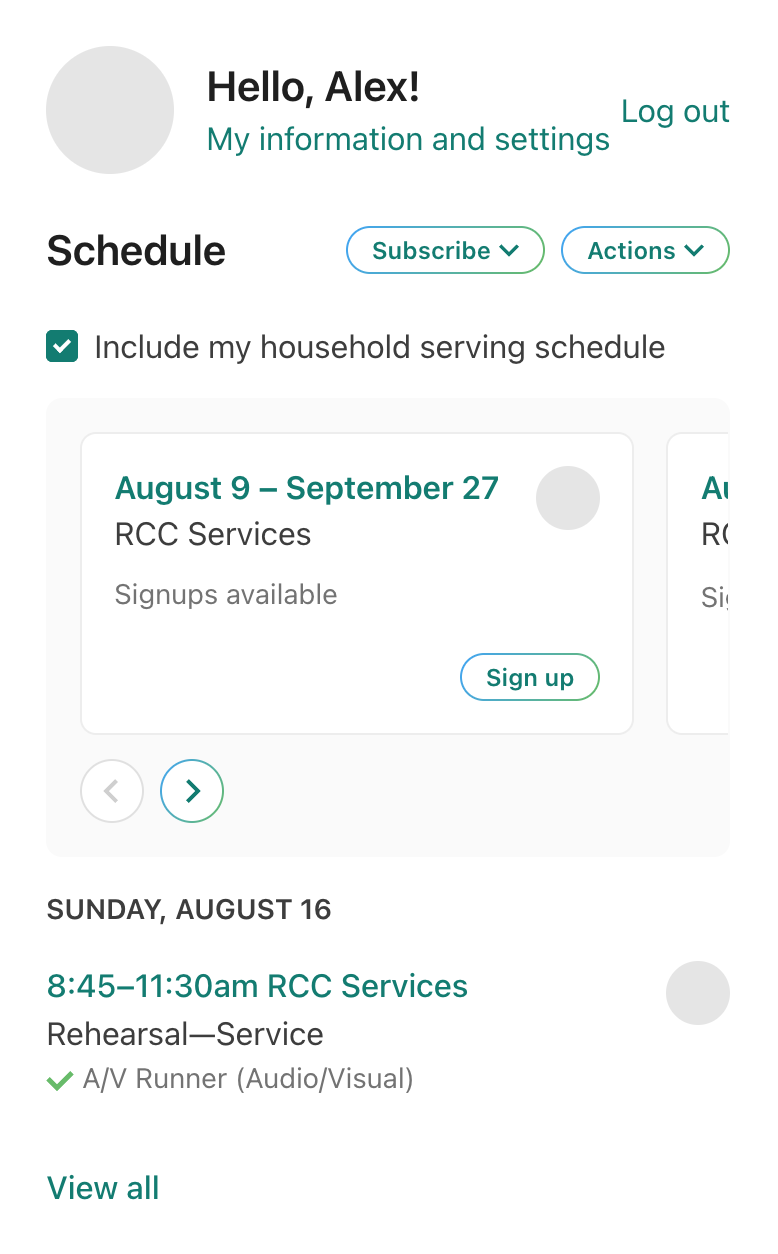
Your schedule (Church Center view)
Another way to see your schedule and access Sign up sheets
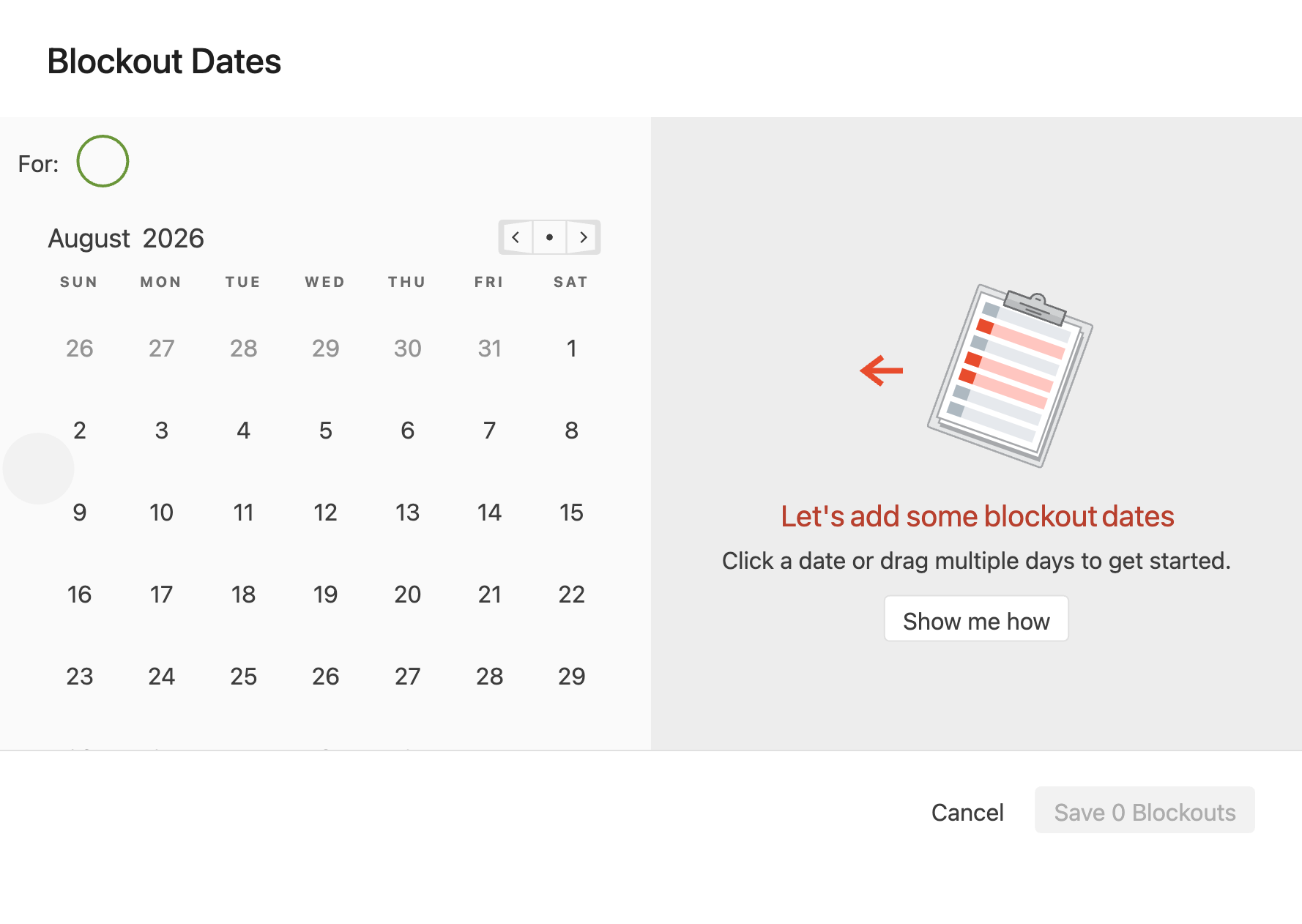
Have other commitments?
Mark dates you can’t be present with Blockout Dates. Dates you block out will help your team leader know you will not be available to help.
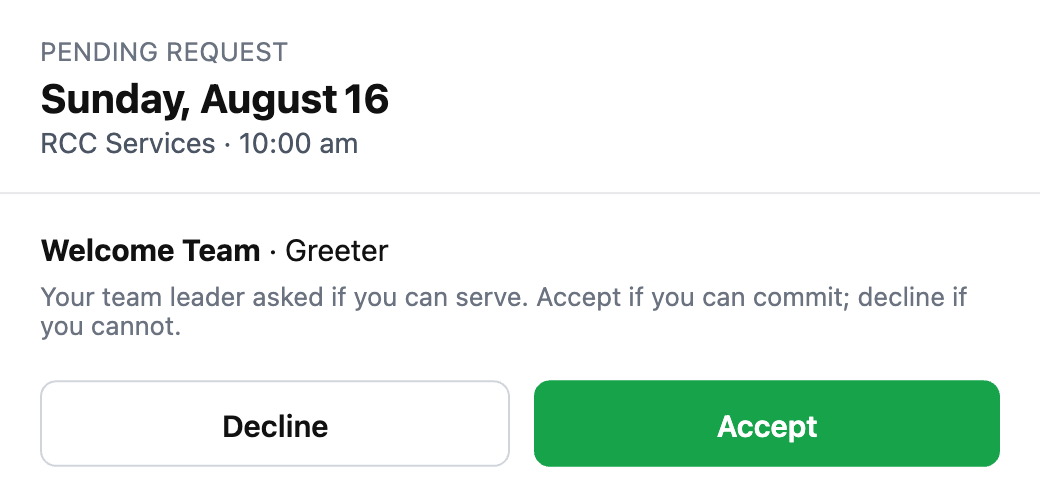
Respond to requests
Your leader may reach out through Planning Center to ask if you’re available to help on a given week. Click Accept or Decline as you need. This helps us make sure we’re fully staffed every week.